The real question is not which platform is cheaper. It is which platform you can afford to stay on.

WordPress is free to use. That is not the same as free to operate. The license cost is zero. The operating cost - developer time, plugin licences, hosting infrastructure, security patching, performance maintenance, and the opportunity cost of a marketing team stuck waiting for development tickets to clear - is anything but.

The strategic question for enterprise organisations in 2026 is not "which CMS is cheaper upfront?" It is "which platform creates a more durable operating model for the next three to five years, especially as teams adopt AI-assisted workflows, experimentation programmes, and higher publishing velocity?"

That framing, laid out clearly by Webflow's own partner engineering team, changes the comparison entirely. This review applies it honestly to both platforms.
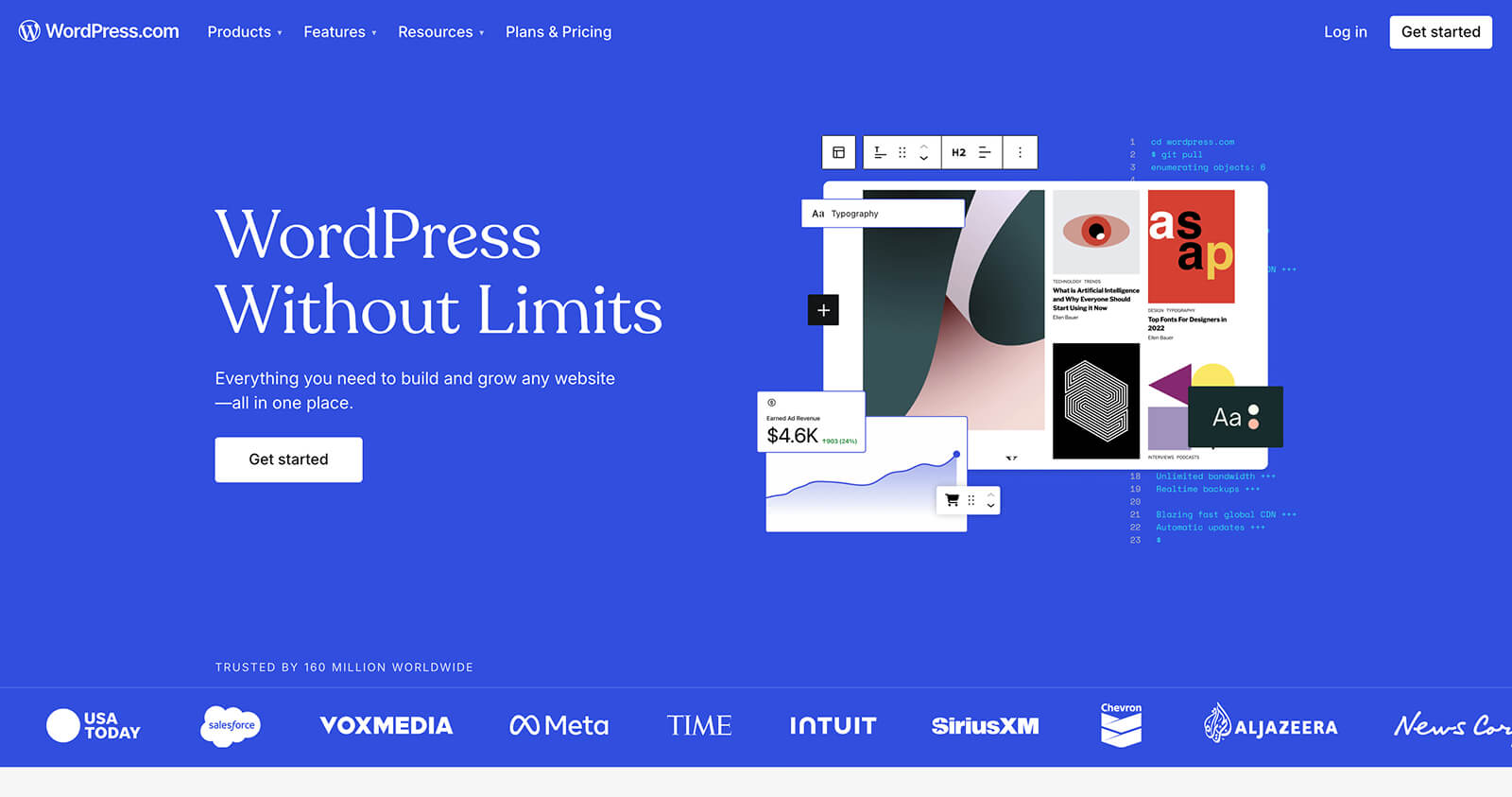
WordPress website homepage
WordPress - the most widely used CMS in the world, and the one most enterprise teams are migrating away from.

What is WordPress?

WordPress was founded in 2003 and built on the premise of democratising publishing. As an open-source platform, its core code is free to use and modify. In practice, that open model creates a sprawling ecosystem of plugins, themes, and hosting providers - each adding capability, and each adding complexity, cost, and maintenance burden.

WordPress powers a significant share of the web. But powering a large share of the web and being the right choice for enterprise marketing teams are different propositions. The organisations moving away from WordPress are not doing so because it stopped working. They are doing so because the total cost of keeping it working - at the standard a modern enterprise website requires - keeps rising.

What is Webflow?

Webflow was founded in 2012 as a closed-source, subscription platform built around a visual development environment. Where WordPress separates design, development, and content management across different tools and roles, Webflow consolidates them into one. Designers, developers, and marketers work in the same interface, on the same codebase, without plugin dependencies or theme overrides.

Since 2020, Webflow Enterprise has extended that model to large organisations - adding governance, security, SLA commitments, and the AI-native growth tools that enterprise marketing teams increasingly require. The platform is now used by Dropbox, Spotify, Monday.com, TED, Docusign, and hundreds of other global brands.
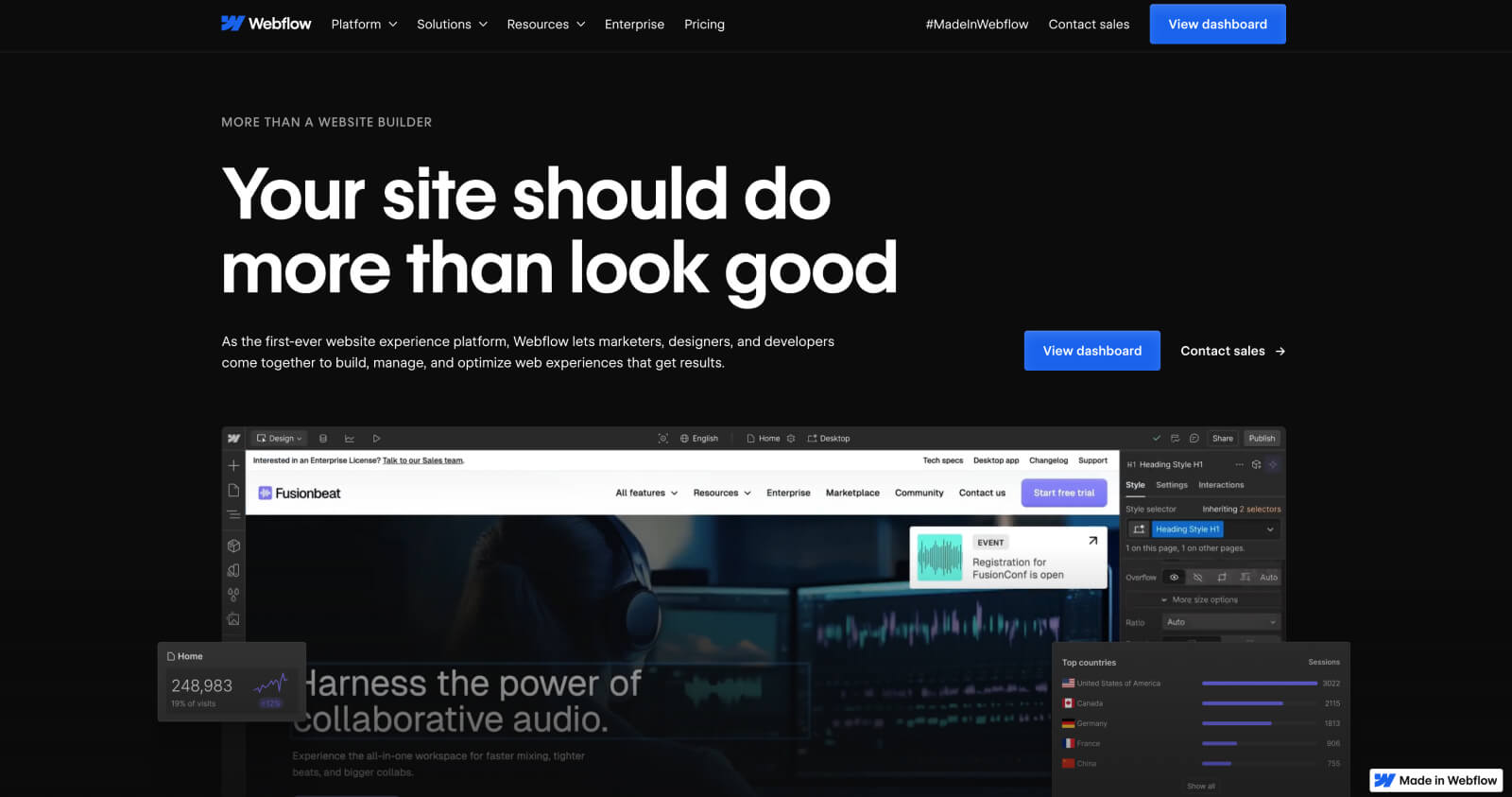
Webflow website homepage
Webflow - the platform enterprise teams are migrating to.

Let's compare: Webflow vs WordPress in 2026

Before we get into the detail: our team has built on both platforms across hundreds of projects. We are a Webflow Enterprise Partner - so we are not neutral. But we have spent years on WordPress too, and this comparison is grounded in that experience, not just the marketing.

Build speed

WordPress:

WordPress has a steep learning curve and a fragmented build process. Achieving a truly custom design requires a developer to work across theme files, custom post types, and often bespoke plugin configurations. Updates to layouts and page structure almost always require developer involvement. For enterprise teams that need to move quickly, this creates a structural bottleneck that compounds over time.

Webflow:

Webflow cuts build time significantly - our developers consistently report completing the same scope in half the time compared to WordPress. The visual interface, integrated hosting, and built-in component system remove the coordination overhead that slows WordPress projects. Marketing teams can make structural page changes without a development ticket.

"As an ex-WordPress expert, using Webflow cuts build time in half. We can turn the same website around in three weeks with Webflow, as opposed to six weeks with WordPress."
Alex Rankin, Webflow Developer, N4

Webflow's edit mode in action.

Design capabilities

WordPress:

The Gutenberg block editor has improved WordPress's visual editing experience significantly, but design freedom is still heavily dependent on the theme and plugins in use. Achieving highly custom UI and UX aspirations typically requires significant developer time, and the result is still constrained by what the theme architecture allows.
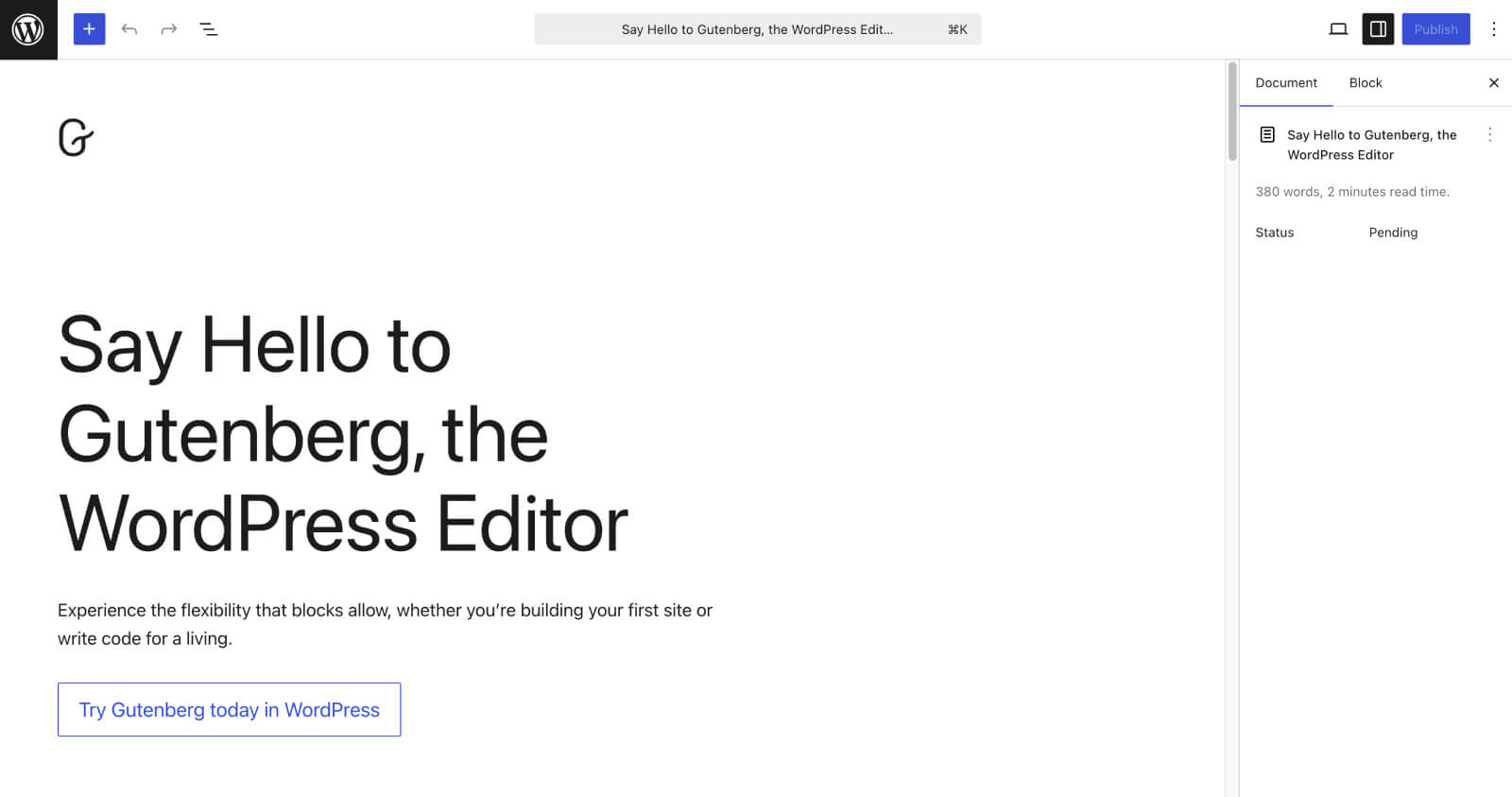
WordPress Gutenberg editor
WordPress' Gutenberg editor - improved, but still theme-dependent.

Webflow:

Webflow gives designers a genuinely blank canvas. Every element is built, not selected from a template. Figma designs transfer directly into the platform without compromise. Custom interactions, animations, and complex layout systems are built natively without additional plugins. There are no theme constraints because there is no theme.

"The world's our oyster with Webflow; we can seamlessly transfer designs from Figma over to the platform and bring them to life, without any constraints."
Sophie Hills, UX/UI Designer, N4

Viewing the website in preview mode.

AI capabilities

This is the category where the gap between the two platforms has widened most significantly in the last 12 months, and it is the one enterprise teams are increasingly asking about.

WordPress:

WordPress AI capabilities exist, but they are assembled rather than native. Jetpack AI adds content generation. Third-party A/B testing tools with AI optimisation add experimentation. Separate personalisation platforms add audience targeting. Each addition integrates via plugin or API, bringing the coordination overhead, compatibility risk, and maintenance burden that characterises the broader WordPress stack. The question is not whether AI tools exist for WordPress - it is who owns the moving parts when something breaks or a vendor changes its roadmap.

Webflow:

Webflow has built AI natively into the platform across three distinct layers. The AI Assistant in the Editor allows content editors to generate, rewrite, and improve copy directly on the canvas - without leaving Webflow or switching to an external tool. Webflow Optimize's AI-optimised delivery mode uses machine learning to dynamically allocate traffic between variants in real time, identifying which version converts best for each visitor segment without waiting weeks for statistical significance. And Webflow Analyze now tracks AI referral traffic specifically - attributing visits arriving from ChatGPT, Perplexity, and other AI answer engines so teams can measure the impact of their AEO strategy directly in the platform.
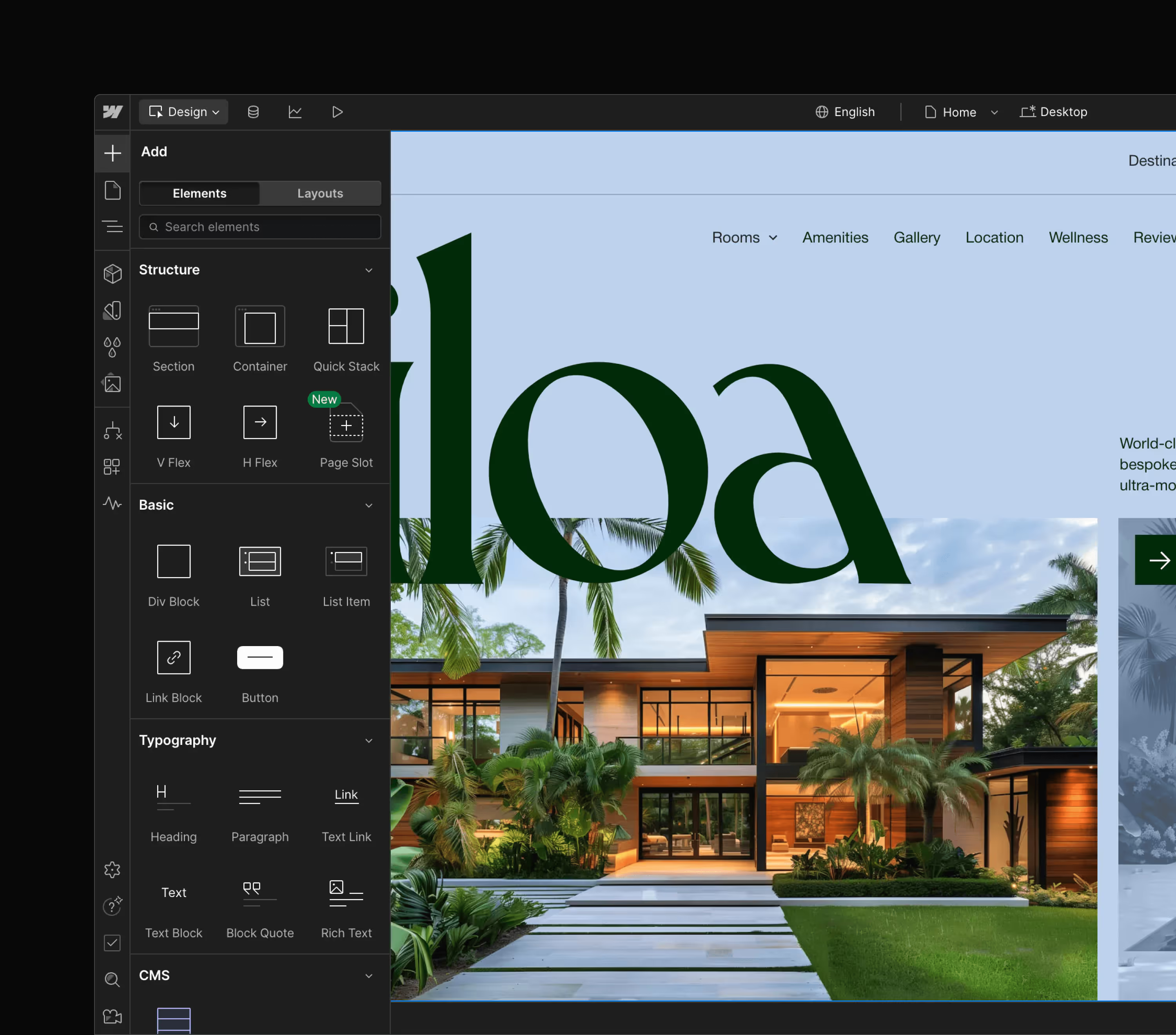
Webflow visual-first CMS for designers
Webflow's visual-first CMS - designers, marketers, and developers working in the same environment.

For enterprise teams building an AI-native marketing operation, Webflow's integrated approach removes the stack assembly problem entirely. You do not need to evaluate, procure, and maintain separate AI tools for content generation, testing, personalisation, and analytics. It is one platform, updated automatically, with a single support relationship.

Functionality and performance

WordPress:

WordPress's plugin ecosystem is its greatest strength and its most significant liability. The library is vast - over 59,000 plugins - but managing those dependencies at enterprise scale creates compounding technical debt. Every plugin update requires QA and regression testing. Version compatibility between core, plugins, and custom code must be continuously managed. When a key plugin is deprecated, acquired, repriced, or breaks after a WordPress core update, the impact can cascade across core functionality. Teams are left diagnosing what broke, preserving data, rebuilding lost functionality, and patching integrations across staging and production environments simultaneously.
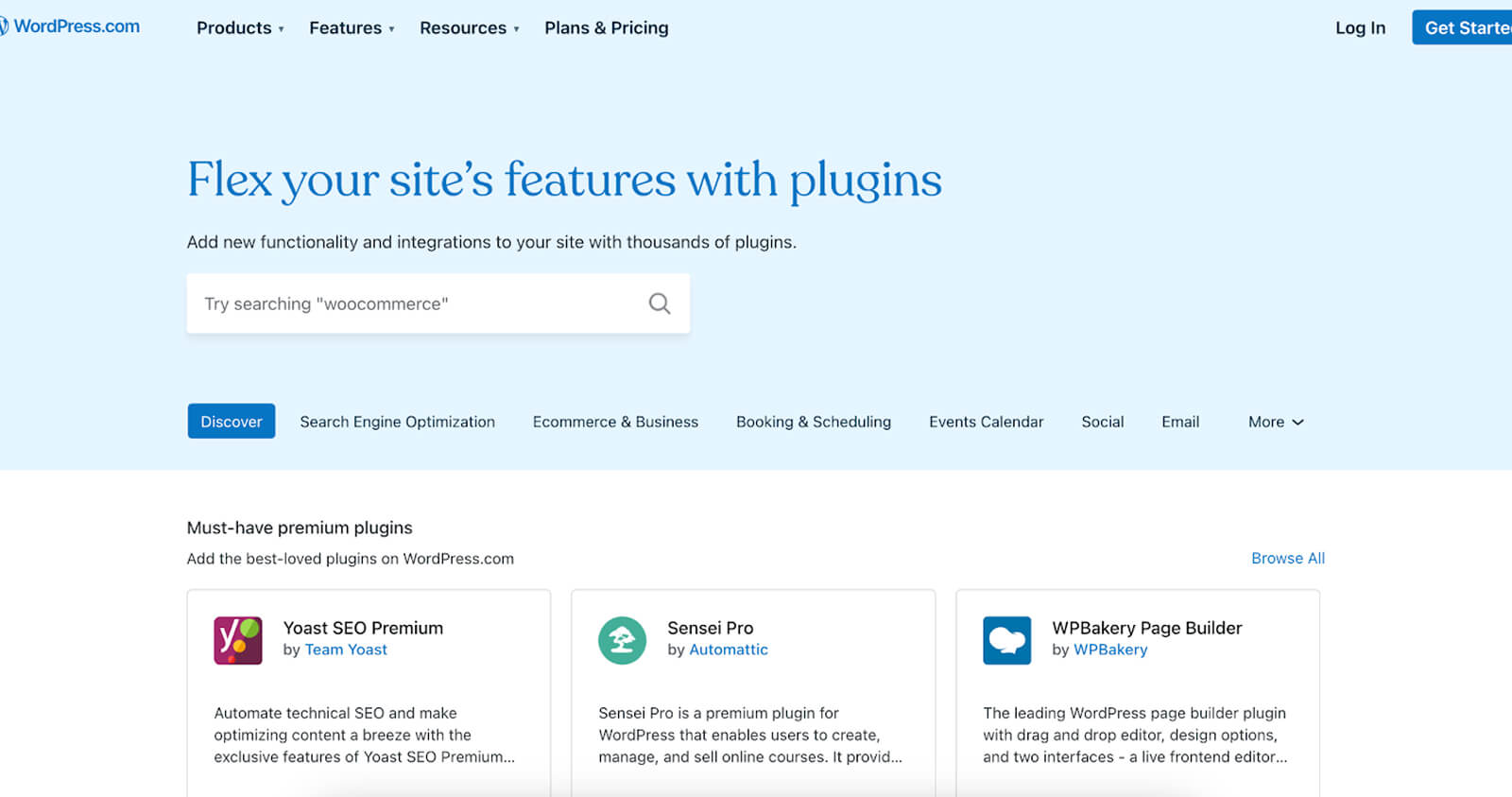
WordPress plugin library
WordPress plugins - powerful but a source of compounding technical debt at scale.

Webflow:

Webflow built the most commonly needed WordPress plugins directly into the platform as native features - SEO tools, form handling, analytics, A/B testing, personalisation, localisation. There are no plugin updates to manage, no compatibility conflicts, and no vendor risk from third-party dependencies. The platform updates automatically in a secure sandbox with zero downtime. Webflow's App Store provides vetted integrations for capabilities beyond the native feature set, and Webflow's MACH-certified APIs allow custom integrations to be built directly against the platform.

A look at Webflow Apps.

SEO and AEO

WordPress:

WordPress SEO is plugin-dependent. Yoast, RankMath, and similar tools provide solid meta tag management, sitemaps, and on-page guidance. The challenge is that relying on plugins for core SEO infrastructure adds fragility - plugin conflicts, performance overhead from additional script loads, and the risk of a tool change undermining years of accumulated configuration. For AEO specifically, schema markup at scale requires either manual implementation or additional tooling, and the plugin-assembled approach makes systematic, CMS-driven schema generation difficult.
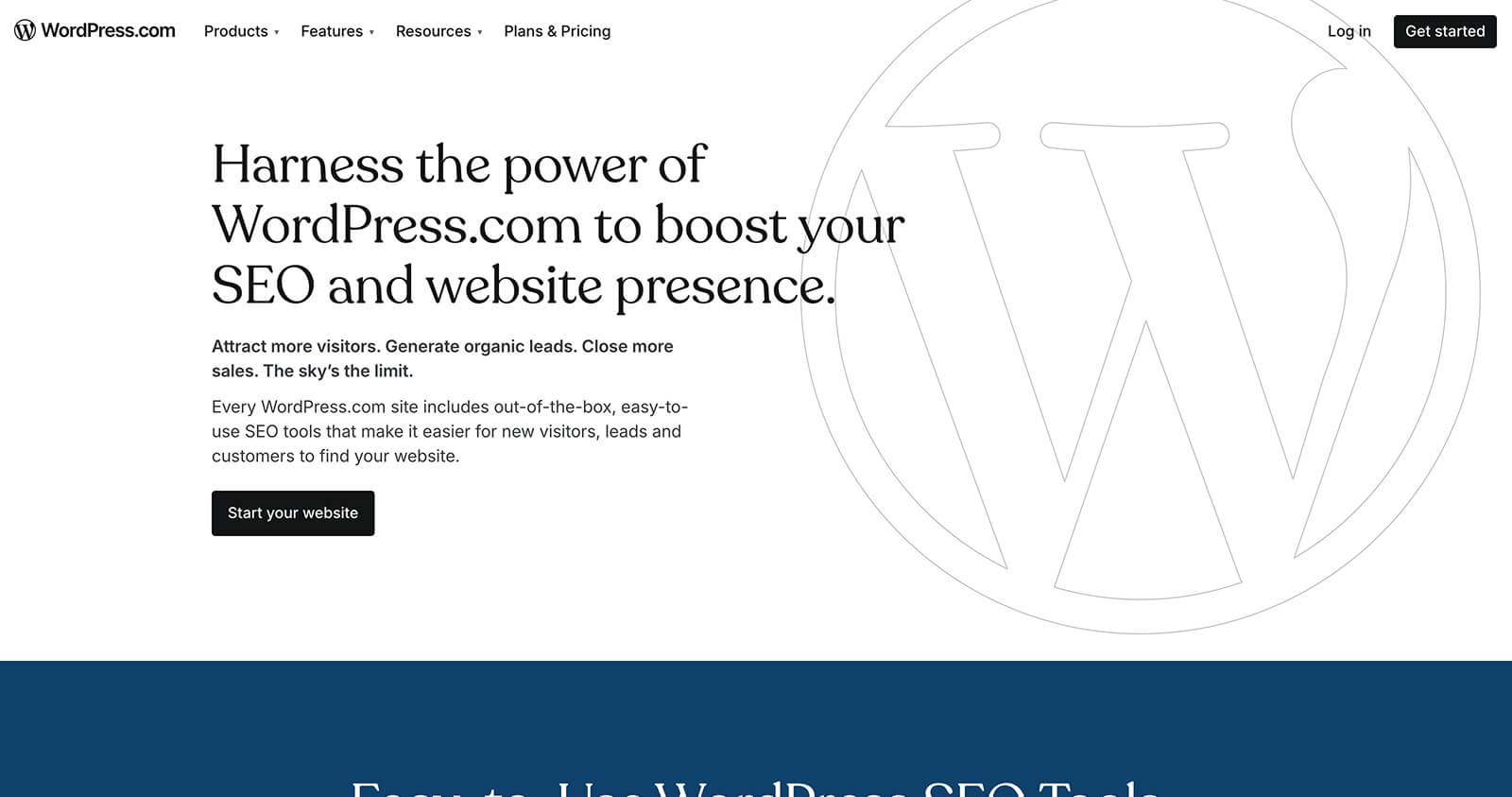
WordPress SEO tools
WordPress SEO tools - dependent on plugins like Yoast, with the fragility that brings.

Webflow:

Webflow's SEO toolkit is native - meta tags, canonical tags, 301 redirects, sitemaps, schema markup support, and Open Graph data all managed in the platform without plugins. The clean HTML output, global CDN, and absence of plugin bloat give Webflow sites a structural Core Web Vitals advantage over comparable WordPress builds. For AEO, Webflow's semantic HTML output, CMS-driven schema generation, and content depth capabilities are directly relevant to appearing in AI-generated answers - the category that is reshaping how enterprise buyers discover brands.

SEO management in Webflow - native, plugin-free, and built for AEO.

Long-term cost of ownership

This is the comparison that matters most for enterprise decisions and the one that WordPress's free licence obscures most effectively.

WordPress:

The direct costs are well understood: managed hosting, plugin licences, theme licences, security tooling. The indirect costs are larger and less visible: the developer hours spent on maintenance rather than new capability, the QA overhead of every update cycle, the cost of a marketing team that cannot publish without developer involvement, and the compounding technical debt that makes every future change more expensive than the last. Enterprise WordPress environments often require both front-end and back-end developer expertise - doubling the talent requirement for what should be a marketing platform.

"With WordPress, since it's open source, you need two types of developers: front-end and back-end. But with Webflow, you only need the front-end developer because the CMS is so efficient. You take a team of two developers and replace them with one."
Alex Rankin, Webflow Developer, N4

Webflow:

Webflow's subscription model looks more expensive in a line-item comparison. In total cost of ownership it is consistently lower. Orangetheory reported $6 million in annual savings after migrating from WordPress to Webflow Enterprise. NCR and Verifone reported 10x cost savings. Dropbox reported a 67% reduction in developer ticketing. These outcomes reflect the same structural shift: a platform where the marketing team operates independently removes the hidden tax that WordPress's developer dependency model imposes on every campaign, every update, and every launch.
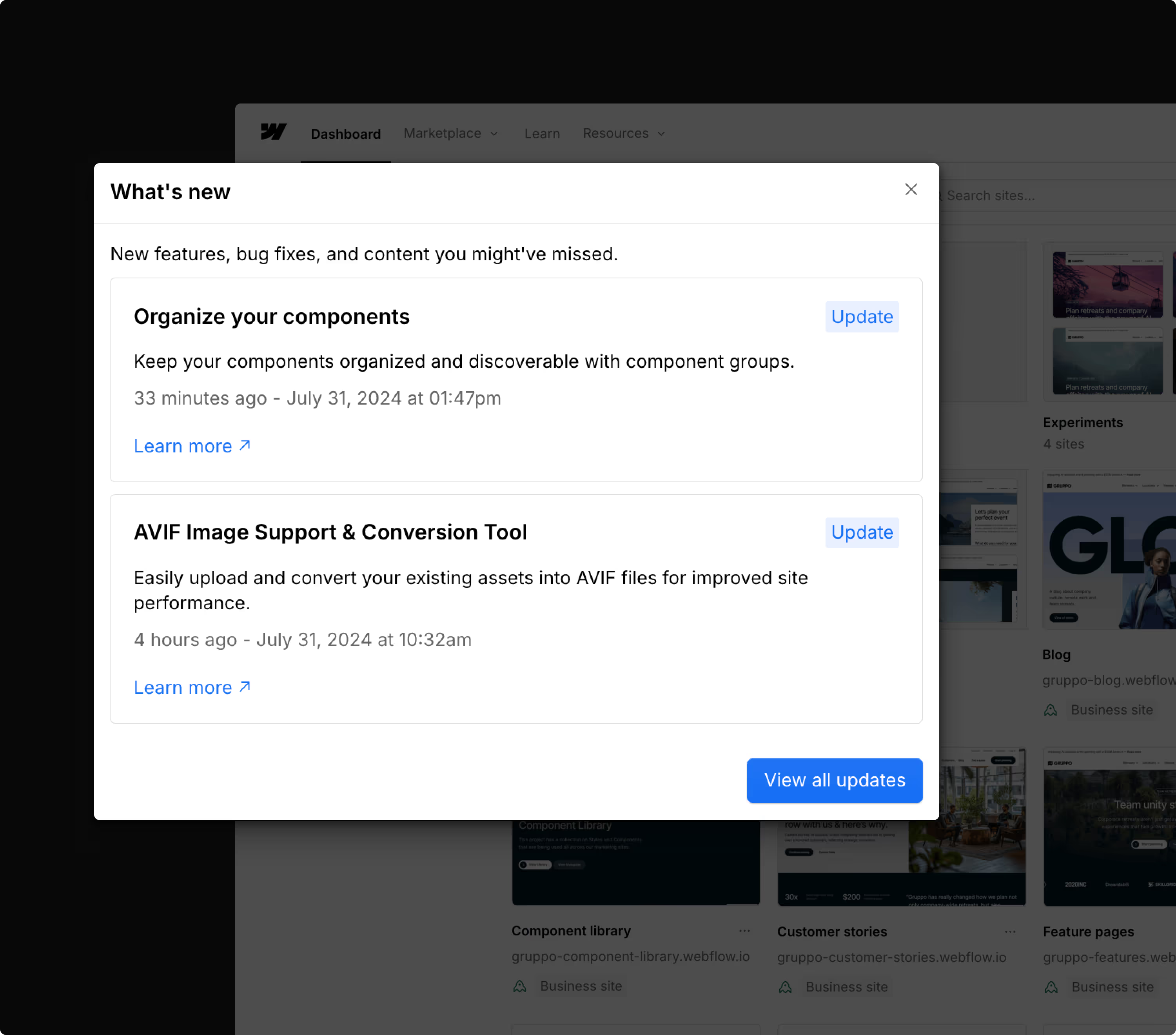
Webflow - no more plugin or core updates required
Webflow - no plugin updates, no core updates, no PHP version management. Always on the latest version.

Enterprise collaboration and governance

WordPress:

WordPress collaboration is typically assembled from third-party project management tools, access credential sharing, and workflow plugins. For enterprise teams with content governance requirements, this creates audit trail gaps and approval workflow workarounds that are difficult to maintain consistently at scale.

Webflow:

Webflow Enterprise includes native collaboration infrastructure: granular role-based permissions, custom approval workflows, page branching for parallel development streams, private staging environments, and SSO integration. Large teams can work simultaneously without conflicts. Content moves from draft to live through a governed workflow without requiring developer involvement at the publishing stage. Audit logs provide the governance trail that enterprise compliance teams require.

Security

WordPress:

WordPress's open-source architecture and plugin ecosystem create a substantial attack surface. Security depends heavily on the discipline of plugin selection, update cadence, and hosting configuration. Without active management, vulnerabilities accumulate. Two-factor authentication requires a plugin. Enterprise-grade DDoS protection typically requires a third-party CDN layer.

Webflow:

Webflow's security is managed at the platform level and included in the subscription cost: SOC 2 Type II compliance, global DDoS and bot protection, SSL certificates, two-factor authentication, per-page password protection, and automatic backups. The back end cannot be accessed through the front end. For enterprise organisations with IT security requirements and compliance obligations, this managed model eliminates the engineering burden of evaluating, implementing, and maintaining website security infrastructure.

Localisation

WordPress:

Localisation in WordPress requires a third-party plugin such as TranslatePress or WPML. These tools handle language translation reasonably well but do not provide the full locale customisation - region-specific imagery, layout variants, element visibility, and style overrides - that global enterprise brands require. Hreflang implementation is manual and error-prone. Maintaining domain authority across multiple regions requires careful architecture that WordPress plugins do not enforce automatically.

Webflow:

Webflow's native Localization product allows enterprise teams to manage a primary site and publish fully customised locale variants from a single CMS instance. Content, imagery, styles, and element visibility can all be configured per locale. Machine-powered translation handles the initial pass. Hreflang attributes are applied automatically. All locales share a single domain, preserving domain authority across markets. N4 runs its own site across four regions - New Zealand, Australia, the UK, and the US - using this exact infrastructure.

Webflow's native Localization - one CMS, every market.

When WordPress is still the right call

This review is honest, so it is worth being direct about the cases where WordPress remains a rational choice. If an organisation has a mature, well-resourced WordPress platform team with standardised tooling, a site that is relatively low-change and not a primary growth channel, or a dependency on highly specialised WordPress-specific plugins that are not being unwound, maintaining WordPress may make operational sense. This comparison focuses on organisations where the website is a strategic growth asset and velocity, experimentation, governance, and AI-assisted workflows matter - because those are the cases where the cost-benefit shifts decisively.

The verdict

WordPress is a capable platform with a mature ecosystem. For organisations that need maximum flexibility, a vast plugin library, and an open-source architecture they can modify at the lowest possible licence cost, it has a legitimate case.

For enterprise organisations that treat their website as a growth asset - where speed to publish, design quality, conversion performance, AI-native marketing tools, and total cost of ownership are the decision criteria - Webflow Enterprise is the stronger platform. Not because of any single feature, but because of the operating model it enables: a marketing team that moves at the speed of the market, without the hidden tax of a development dependency that compounds with every campaign.

Explore more comparisons:

Talk to our Webflow Enterprise team

N4 is the number one ranked Webflow Enterprise Partner globally. We migrate organisations from WordPress to Webflow regularly - handling the technical migration, content transfer, redirect mapping, and performance validation from end to end. If you are evaluating a migration or want an honest assessment of what it would involve for your organisation, get in touch.

Written by

Jonathan Cook

Author Bio

Read

Jonathan Cook

Jonathan Cook

Founder / Developer

Newsletter

Good content. Every month. 
You will like it. Really.

Written by

Jonathan Cook

Author Bio

Read

Jonathan Cook

Jonathan Cook

Founder / Developer

Articles

https://www.n4.studio/blog/webflow-vs-wordpress

Webflow vs WordPress: An Expert's Review (2026)

  • WordPress is the most widely used CMS in the world. It is also the platform most enterprise marketing teams are actively trying to migrate away from.
  • This comparison covers every dimension that matters in 2026 - build speed, design freedom, AI capabilities, long-term cost, SEO, security, and enterprise governance.
  • Our team has built on both platforms. This is an honest review, not a sales pitch.
  • Questions? Talk to our team - we migrate organisations from WordPress to Webflow regularly.

The real question is not which platform is cheaper. It is which platform you can afford to stay on.

WordPress is free to use. That is not the same as free to operate. The license cost is zero. The operating cost - developer time, plugin licences, hosting infrastructure, security patching, performance maintenance, and the opportunity cost of a marketing team stuck waiting for development tickets to clear - is anything but.

The strategic question for enterprise organisations in 2026 is not "which CMS is cheaper upfront?" It is "which platform creates a more durable operating model for the next three to five years, especially as teams adopt AI-assisted workflows, experimentation programmes, and higher publishing velocity?"

That framing, laid out clearly by Webflow's own partner engineering team, changes the comparison entirely. This review applies it honestly to both platforms.

WordPress website homepage
WordPress - the most widely used CMS in the world, and the one most enterprise teams are migrating away from.

What is WordPress?

WordPress was founded in 2003 and built on the premise of democratising publishing. As an open-source platform, its core code is free to use and modify. In practice, that open model creates a sprawling ecosystem of plugins, themes, and hosting providers - each adding capability, and each adding complexity, cost, and maintenance burden.

WordPress powers a significant share of the web. But powering a large share of the web and being the right choice for enterprise marketing teams are different propositions. The organisations moving away from WordPress are not doing so because it stopped working. They are doing so because the total cost of keeping it working - at the standard a modern enterprise website requires - keeps rising.

What is Webflow?

Webflow was founded in 2012 as a closed-source, subscription platform built around a visual development environment. Where WordPress separates design, development, and content management across different tools and roles, Webflow consolidates them into one. Designers, developers, and marketers work in the same interface, on the same codebase, without plugin dependencies or theme overrides.

Since 2020, Webflow Enterprise has extended that model to large organisations - adding governance, security, SLA commitments, and the AI-native growth tools that enterprise marketing teams increasingly require. The platform is now used by Dropbox, Spotify, Monday.com, TED, Docusign, and hundreds of other global brands.

Webflow website homepage
Webflow - the platform enterprise teams are migrating to.

Let's compare: Webflow vs WordPress in 2026

Before we get into the detail: our team has built on both platforms across hundreds of projects. We are a Webflow Enterprise Partner - so we are not neutral. But we have spent years on WordPress too, and this comparison is grounded in that experience, not just the marketing.

Build speed

WordPress:

WordPress has a steep learning curve and a fragmented build process. Achieving a truly custom design requires a developer to work across theme files, custom post types, and often bespoke plugin configurations. Updates to layouts and page structure almost always require developer involvement. For enterprise teams that need to move quickly, this creates a structural bottleneck that compounds over time.

Webflow:

Webflow cuts build time significantly - our developers consistently report completing the same scope in half the time compared to WordPress. The visual interface, integrated hosting, and built-in component system remove the coordination overhead that slows WordPress projects. Marketing teams can make structural page changes without a development ticket.

"As an ex-WordPress expert, using Webflow cuts build time in half. We can turn the same website around in three weeks with Webflow, as opposed to six weeks with WordPress."
Alex Rankin, Webflow Developer, N4

Webflow's edit mode in action.

Design capabilities

WordPress:

The Gutenberg block editor has improved WordPress's visual editing experience significantly, but design freedom is still heavily dependent on the theme and plugins in use. Achieving highly custom UI and UX aspirations typically requires significant developer time, and the result is still constrained by what the theme architecture allows.

WordPress Gutenberg editor
WordPress' Gutenberg editor - improved, but still theme-dependent.

Webflow:

Webflow gives designers a genuinely blank canvas. Every element is built, not selected from a template. Figma designs transfer directly into the platform without compromise. Custom interactions, animations, and complex layout systems are built natively without additional plugins. There are no theme constraints because there is no theme.

"The world's our oyster with Webflow; we can seamlessly transfer designs from Figma over to the platform and bring them to life, without any constraints."
Sophie Hills, UX/UI Designer, N4

Viewing the website in preview mode.

AI capabilities

This is the category where the gap between the two platforms has widened most significantly in the last 12 months, and it is the one enterprise teams are increasingly asking about.

WordPress:

WordPress AI capabilities exist, but they are assembled rather than native. Jetpack AI adds content generation. Third-party A/B testing tools with AI optimisation add experimentation. Separate personalisation platforms add audience targeting. Each addition integrates via plugin or API, bringing the coordination overhead, compatibility risk, and maintenance burden that characterises the broader WordPress stack. The question is not whether AI tools exist for WordPress - it is who owns the moving parts when something breaks or a vendor changes its roadmap.

Webflow:

Webflow has built AI natively into the platform across three distinct layers. The AI Assistant in the Editor allows content editors to generate, rewrite, and improve copy directly on the canvas - without leaving Webflow or switching to an external tool. Webflow Optimize's AI-optimised delivery mode uses machine learning to dynamically allocate traffic between variants in real time, identifying which version converts best for each visitor segment without waiting weeks for statistical significance. And Webflow Analyze now tracks AI referral traffic specifically - attributing visits arriving from ChatGPT, Perplexity, and other AI answer engines so teams can measure the impact of their AEO strategy directly in the platform.

Webflow visual-first CMS for designers
Webflow's visual-first CMS - designers, marketers, and developers working in the same environment.

For enterprise teams building an AI-native marketing operation, Webflow's integrated approach removes the stack assembly problem entirely. You do not need to evaluate, procure, and maintain separate AI tools for content generation, testing, personalisation, and analytics. It is one platform, updated automatically, with a single support relationship.

Functionality and performance

WordPress:

WordPress's plugin ecosystem is its greatest strength and its most significant liability. The library is vast - over 59,000 plugins - but managing those dependencies at enterprise scale creates compounding technical debt. Every plugin update requires QA and regression testing. Version compatibility between core, plugins, and custom code must be continuously managed. When a key plugin is deprecated, acquired, repriced, or breaks after a WordPress core update, the impact can cascade across core functionality. Teams are left diagnosing what broke, preserving data, rebuilding lost functionality, and patching integrations across staging and production environments simultaneously.

WordPress plugin library
WordPress plugins - powerful but a source of compounding technical debt at scale.

Webflow:

Webflow built the most commonly needed WordPress plugins directly into the platform as native features - SEO tools, form handling, analytics, A/B testing, personalisation, localisation. There are no plugin updates to manage, no compatibility conflicts, and no vendor risk from third-party dependencies. The platform updates automatically in a secure sandbox with zero downtime. Webflow's App Store provides vetted integrations for capabilities beyond the native feature set, and Webflow's MACH-certified APIs allow custom integrations to be built directly against the platform.

A look at Webflow Apps.

SEO and AEO

WordPress:

WordPress SEO is plugin-dependent. Yoast, RankMath, and similar tools provide solid meta tag management, sitemaps, and on-page guidance. The challenge is that relying on plugins for core SEO infrastructure adds fragility - plugin conflicts, performance overhead from additional script loads, and the risk of a tool change undermining years of accumulated configuration. For AEO specifically, schema markup at scale requires either manual implementation or additional tooling, and the plugin-assembled approach makes systematic, CMS-driven schema generation difficult.

WordPress SEO tools
WordPress SEO tools - dependent on plugins like Yoast, with the fragility that brings.

Webflow:

Webflow's SEO toolkit is native - meta tags, canonical tags, 301 redirects, sitemaps, schema markup support, and Open Graph data all managed in the platform without plugins. The clean HTML output, global CDN, and absence of plugin bloat give Webflow sites a structural Core Web Vitals advantage over comparable WordPress builds. For AEO, Webflow's semantic HTML output, CMS-driven schema generation, and content depth capabilities are directly relevant to appearing in AI-generated answers - the category that is reshaping how enterprise buyers discover brands.

SEO management in Webflow - native, plugin-free, and built for AEO.

Long-term cost of ownership

This is the comparison that matters most for enterprise decisions and the one that WordPress's free licence obscures most effectively.

WordPress:

The direct costs are well understood: managed hosting, plugin licences, theme licences, security tooling. The indirect costs are larger and less visible: the developer hours spent on maintenance rather than new capability, the QA overhead of every update cycle, the cost of a marketing team that cannot publish without developer involvement, and the compounding technical debt that makes every future change more expensive than the last. Enterprise WordPress environments often require both front-end and back-end developer expertise - doubling the talent requirement for what should be a marketing platform.

"With WordPress, since it's open source, you need two types of developers: front-end and back-end. But with Webflow, you only need the front-end developer because the CMS is so efficient. You take a team of two developers and replace them with one."
Alex Rankin, Webflow Developer, N4

Webflow:

Webflow's subscription model looks more expensive in a line-item comparison. In total cost of ownership it is consistently lower. Orangetheory reported $6 million in annual savings after migrating from WordPress to Webflow Enterprise. NCR and Verifone reported 10x cost savings. Dropbox reported a 67% reduction in developer ticketing. These outcomes reflect the same structural shift: a platform where the marketing team operates independently removes the hidden tax that WordPress's developer dependency model imposes on every campaign, every update, and every launch.

Webflow - no more plugin or core updates required
Webflow - no plugin updates, no core updates, no PHP version management. Always on the latest version.

Enterprise collaboration and governance

WordPress:

WordPress collaboration is typically assembled from third-party project management tools, access credential sharing, and workflow plugins. For enterprise teams with content governance requirements, this creates audit trail gaps and approval workflow workarounds that are difficult to maintain consistently at scale.

Webflow:

Webflow Enterprise includes native collaboration infrastructure: granular role-based permissions, custom approval workflows, page branching for parallel development streams, private staging environments, and SSO integration. Large teams can work simultaneously without conflicts. Content moves from draft to live through a governed workflow without requiring developer involvement at the publishing stage. Audit logs provide the governance trail that enterprise compliance teams require.

Security

WordPress:

WordPress's open-source architecture and plugin ecosystem create a substantial attack surface. Security depends heavily on the discipline of plugin selection, update cadence, and hosting configuration. Without active management, vulnerabilities accumulate. Two-factor authentication requires a plugin. Enterprise-grade DDoS protection typically requires a third-party CDN layer.

Webflow:

Webflow's security is managed at the platform level and included in the subscription cost: SOC 2 Type II compliance, global DDoS and bot protection, SSL certificates, two-factor authentication, per-page password protection, and automatic backups. The back end cannot be accessed through the front end. For enterprise organisations with IT security requirements and compliance obligations, this managed model eliminates the engineering burden of evaluating, implementing, and maintaining website security infrastructure.

Localisation

WordPress:

Localisation in WordPress requires a third-party plugin such as TranslatePress or WPML. These tools handle language translation reasonably well but do not provide the full locale customisation - region-specific imagery, layout variants, element visibility, and style overrides - that global enterprise brands require. Hreflang implementation is manual and error-prone. Maintaining domain authority across multiple regions requires careful architecture that WordPress plugins do not enforce automatically.

Webflow:

Webflow's native Localization product allows enterprise teams to manage a primary site and publish fully customised locale variants from a single CMS instance. Content, imagery, styles, and element visibility can all be configured per locale. Machine-powered translation handles the initial pass. Hreflang attributes are applied automatically. All locales share a single domain, preserving domain authority across markets. N4 runs its own site across four regions - New Zealand, Australia, the UK, and the US - using this exact infrastructure.

Webflow's native Localization - one CMS, every market.

When WordPress is still the right call

This review is honest, so it is worth being direct about the cases where WordPress remains a rational choice. If an organisation has a mature, well-resourced WordPress platform team with standardised tooling, a site that is relatively low-change and not a primary growth channel, or a dependency on highly specialised WordPress-specific plugins that are not being unwound, maintaining WordPress may make operational sense. This comparison focuses on organisations where the website is a strategic growth asset and velocity, experimentation, governance, and AI-assisted workflows matter - because those are the cases where the cost-benefit shifts decisively.

The verdict

WordPress is a capable platform with a mature ecosystem. For organisations that need maximum flexibility, a vast plugin library, and an open-source architecture they can modify at the lowest possible licence cost, it has a legitimate case.

For enterprise organisations that treat their website as a growth asset - where speed to publish, design quality, conversion performance, AI-native marketing tools, and total cost of ownership are the decision criteria - Webflow Enterprise is the stronger platform. Not because of any single feature, but because of the operating model it enables: a marketing team that moves at the speed of the market, without the hidden tax of a development dependency that compounds with every campaign.

Explore more comparisons:

Talk to our Webflow Enterprise team

N4 is the number one ranked Webflow Enterprise Partner globally. We migrate organisations from WordPress to Webflow regularly - handling the technical migration, content transfer, redirect mapping, and performance validation from end to end. If you are evaluating a migration or want an honest assessment of what it would involve for your organisation, get in touch.

Built to scale. Proven to perform. Ready for yours?